 ice framework
Tutorial 1: hello application
Hello is a very simple example of an application written in Ice framework.
Checking your installation
We'll assume you have Ice installed already. Check your phpinfo() output for a section referencing "Ice" or execute the code snippet below:
<?php print_r(get_loaded_extensions()); ?>The Ice extension should appear as part of the output:
Array ( [0] => Core [1] => date [2] => ereg [3] => libxml [4] => pcre [5] => hash [6] => SPL [7] => Reflection [8] => session [9] => standard [10] => SimpleXML [11] => filter [12] => xml [13] => mysqlnd [14] => cgi-fcgi [15] => ctype [16] => curl [17] => dom [18] => fcache [19] => fileinfo [20] => gd [21] => ice [22] => iconv [23] => json [24] => mbstring [25] => mcrypt [26] => mysql [27] => mysqli [28] => openssl [29] => PDO [30] => pdo_mysql [31] => pdo_sqlite [32] => phalcon [33] => zlib [34] => sqlite3 [35] => tokenizer [36] => xmlreader [37] => xmlwriter [38] => Phar [39] => mhash )
Creating a project
The best way to use this guide is to follow each step in turn. You can get the complete code:
git clone https://github.com/ice/helloFile structure
For the purposes of this tutorial and as a starting point, we suggest the following structure:
hello/
  App/
    Controller/
    Model/
    View/
  public/
    css/
    img/
    js/
Note that you don't need any directory related to Ice. The framework is available in memory, ready for you to use!
Server configuration
Let's agree that the virtual host is called hello. Set the DocumentRoot for the vhost to the hello/public/ folder. This step ensures that the internal project folders remain hidden from public viewing and thus eliminates security threats of this kind.
We'll use friendly URLs for this tutorial. Friendly URLs are better for SEO as well as being easy for users to remember. For more information see server configuration.
*If you are working with Apache, add an .htaccess file to the public/ directory:
# hello/public/.htaccess
Options FollowSymLinks
<IfModule mod_rewrite.c>
    RewriteEngine On
    RewriteCond %{REQUEST_FILENAME} !-d
    RewriteCond %{REQUEST_FILENAME} !-f
    RewriteRule ^(.*)$ index.php?_url=/$1 [QSA,L]
</IfModule>
These rules will check if the requested file exists and, if it does, it doesn't have to be rewritten by the web server module.
index.php
The first file you need to create is the public/index.php. This file defines a __ROOT__ constant which contains the full path to the DocumentRoot, loads the bootstrap file, handles an MVC request, and displays the HTTP response body:
<?php

defined('__ROOT__') or
    /**
     * Full path to the docroot
     */
    define('__ROOT__', dirname(__DIR__));

try {
    // Load the bootstrap which returns the MVC application
    $app = require_once __ROOT__ . '/App/Bootstrap.php';

    // Handle an MVC request and display the HTTP response body
    echo $app->handle();
} catch (Exception $e) {
    // Display the exception's message
    echo $e->getMessage();
}
?>
Bootstrap.php
The second file is the App/Bootstrap.php. This file is very important, since it serves as the base of your application, giving you control over all aspects of it. In this file you can implement initialization of components as well as application behavior.
<?php

namespace App;

/**
 * Register the psr-4 auto loader. You will be able to use:
 * App\Controller, App\Model, App\Library, etc.
 */
(new \Ice\Loader())
    ->addNamespace(__NAMESPACE__, __DIR__)
    ->register();

// Create a dependency injector container
$di = new \Ice\Di();

// Set some services
$di->request = new \Ice\Http\Request();
$di->response = new \Ice\Http\Response();
$di->tag = new \Ice\Tag();

$di->set('dispatcher', function () {
    $dispatcher = new \Ice\Mvc\Dispatcher();
    $dispatcher->setNamespace(__NAMESPACE__);

    return $dispatcher;
});

$di->set('router', function () {
    $router = new \Ice\Mvc\Router();
    $router->setRoutes([
        // The universal routes
        [['GET', 'POST'], '/{controller:[a-z]+}/{action:[a-z]+}/{id:\d+}/{param}'],
        [['GET', 'POST'], '/{controller:[a-z]+}/{action:[a-z]+}/{id:\d+}'],
        [['GET', 'POST'], '/{controller:[a-z]+}/{action:[a-z]+}/{param}'],
        [['GET', 'POST'], '/{controller:[a-z]+}/{action:[a-z]+[/]?}'],
        [['GET', 'POST'], '/{controller:[a-z]+}/{id:\d+}'],
        [['GET', 'POST'], '/{controller:[a-z]+[/]?}'],
        [['GET', 'POST'], ''],
    ]);

    return $router;
});

$di->set('view', function () {
    $view = new \Ice\Mvc\View();
    $view->setViewsDir(__DIR__ . '/View/');

    return $view;
});

// Create and return a MVC application
return new \Ice\Mvc\App($di);
?>
Autoloader
The first part that we find in the bootstrap is registering an autoloader. This will be used to load classes as controllers and models in the application.
(new \Ice\Loader())
    ->addNamespace(__NAMESPACE__, __DIR__)
    ->register();
In this case __NAMESPACE__ means App and __DIR__ means current directory.
Dependency injection
A service container is a bag where we globally store the services that our application will use to function. Each time the framework requires a component, it will ask the container using an agreed upon name for the service.
$di = new \Ice\Di();Services
Services are components that make up the application. Let's register some required services:
Request inspects the current HTTP request:
$di->request = new \Ice\Http\Request();Response provides a simple interface around the HTTP response:
$di->response = new \Ice\Http\Response();Tag helps to generate links, forms, etc.:
$di->tag = new \Ice\Tag();Dispatcher loads the specified module and creates an instance of the handler with its action and params:
$di->set('dispatcher', function () {
    $dispatcher = new \Ice\Mvc\Dispatcher();
    $dispatcher->setNamespace(__NAMESPACE__);

    return $dispatcher;
});
Router takes a URI endpoint and decomposes it into parameters to determine which module, controller, and action of that controller should receive the request:
$di->set('router', function () {
    $router = new \Ice\Mvc\Router();
    $router->setRoutes([
        // The universal routes
        [['GET', 'POST'], '/{controller:[a-z]+}/{action:[a-z]+}/{id:\d+}/{param}'],
        [['GET', 'POST'], '/{controller:[a-z]+}/{action:[a-z]+}/{id:\d+}'],
        [['GET', 'POST'], '/{controller:[a-z]+}/{action:[a-z]+}/{param}'],
        [['GET', 'POST'], '/{controller:[a-z]+}/{action:[a-z]+[/]?}'],
        [['GET', 'POST'], '/{controller:[a-z]+}/{id:\d+}'],
        [['GET', 'POST'], '/{controller:[a-z]+[/]?}'],
        [['GET', 'POST'], ''],
    ]);

    return $router;
});
View is a service indicating the directory where the framework will find the view files:
$di->set('view', function () {
    $view = new \Ice\Mvc\View();
    $view->setViewsDir(__DIR__ . '/View/');

    return $view;
});
Create MVC application
In the last part of this file, we find Ice\Mvc\App. Its purpose is to initialize the request environment, route the incoming request, and then dispatch any discovered actions; it aggregates any responses and returns them when the process is complete:
return new \Ice\Mvc\App($di);As you can see, the bootstrap file is very short and we do not need to include any additional files. We have built a flexible MVC application in about 50 lines of code.
*Since Ice 1.1.0, services are predefined, so the bootstrap file can be simpler (just 10 lines of code!):
namespace App;

// Create a dependency injector container
$di = new \Ice\Di();

// Register App namespace for App\Controller, App\Model, App\Library, etc.
$di->loader
    ->addNamespace(__NAMESPACE__, __DIR__)
    ->register();

// Set some service's settings
$di->dispatcher
    ->setNamespace(__NAMESPACE__);

$di->view
    ->setViewsDir(__DIR__ . '/View/');

// Create and return a MVC application
return new \Ice\Mvc\App($di);
Creating a controller
By default Ice will look for a controller named Index. It is the starting point when no controller or action has been passed in the request. The index controller App/Controller/IndexController.php looks like:
<?php

namespace App\Controller;

use Ice\Mvc\Controller;

/**
 * Default controller
 *
 * @package     Ice/Hello
 * @category    Controller
 */
class IndexController extends Controller
{

    /**
     * Default action
     */
    public function indexAction()
    {

    }
}
?>
The controller classes must have the suffix Controller, and controller actions must have the suffix Action.
Sending output to a view
First, Ice will look for a layout at App/Views/layouts/index.phtml in the layouts directory:
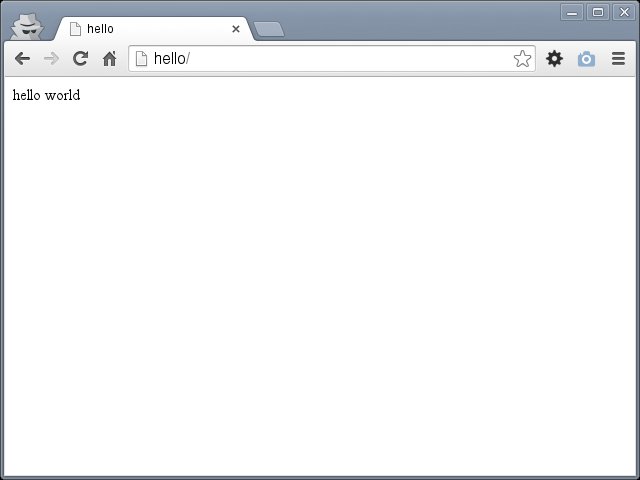
<?php echo $this->getContent() ?>Then it looks for a view with the same name as the last executed action, inside a directory named after the last executed controller. In our case, that's App/Views/index/index.phtml:
hello worldIf you access the application from your browser, you should see something like this:
Database connection
Before creating our first model, we need to create a database table outside of Ice to map it to. A simple table to store registered users can be defined like this:
CREATE TABLE `users` (
  `id` int(10) unsigned NOT NULL AUTO_INCREMENT,
  `name` varchar(32) NOT NULL,
  `email` varchar(64) NOT NULL,
  PRIMARY KEY (`id`)
);
In order to be able to use a database connection and subsequently access data through our models, we need to specify it in our bootstrap process. A database connection is just another service that our application has that can be used for several components:
$di->set('db', function () {
    $driver = new \Ice\Db\Driver\Pdo('mysql:host=localhost;port=3306;dbname=demo_hello', 'demo', 'demo');

    return new \Ice\Db($driver);
});
Creating a model
A model should be located in the App/Model/ directory App/Model/Users.php. The model maps to the users table:
<?php

namespace App\Model;

use Ice\Mvc\Model;

/**
 * Users model
 *
 * @package     Ice/Hello
 * @category    Model
 */
class Users extends Model
{

}
?>
User controller
Receiving data from the form and storing them in the table is the next step.
<?php

namespace App\Controller;

use App\Model\Users;
use Ice\Validation;

/**
 * User controller
 *
 * @package     Ice/Hello
 * @category    Controller
 */
class UserController extends IndexController
{

    /**
     * Display sign up form
     */
    public function getSignupAction()
    {

    }

    /**
     * Sign up new user
     */
    public function postSignupAction()
    {
        $post = $this->request->getPost()->all();

        $validation = new Validation();
        $validation->rules([
            'name' => 'required',
            'email' => 'required|email|unique:users',
        ]);

        $valid = $validation->validate($post);

        if (!$valid) {
            echo 'Warning! Please correct the errors:<br />';
            foreach ($validation->getMessages() as $message) {
                echo $message[0] . '<br />';
            }
        } else {
            $user = new Users();
            $user->setFields(['name', 'email']);

            if ($user->create($post)) {
                echo "Thanks for registering!";
            }
        }

        $this->view->setContent(false);
    }

    /**
     * Display all users
     */
    public function indexAction()
    {
        $this->view->setVar('users', Users::find());
    }
}
?>
Go to hello/user in your browser. This URL runs the User controller and Index action (it finds all users and sends them to the view):
$this->view->setVar('users', Users::find());So, you should see:
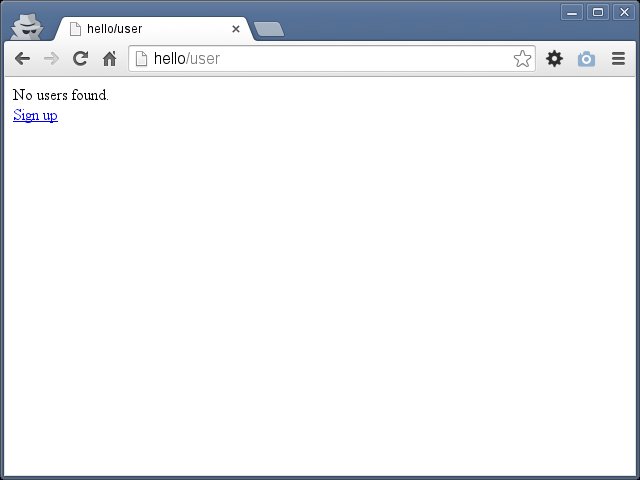
The App/View/user/index.phtml view displays all users (if found) and links to the sign-up action:
<?php if (count($users)):?>
    <?php foreach ($users as $user): ?>
        <?php echo $user->id . '. ' . $user->name . ': ' . $user->email ?><br>
    <?php endforeach ?>
<?php else: ?>
    No users found.<br>
<?php endif ?>
<?php echo $this->tag->linkTo(['user/signup', 'Sign up']) ?>
Follow the Sign up link and you should see this form:
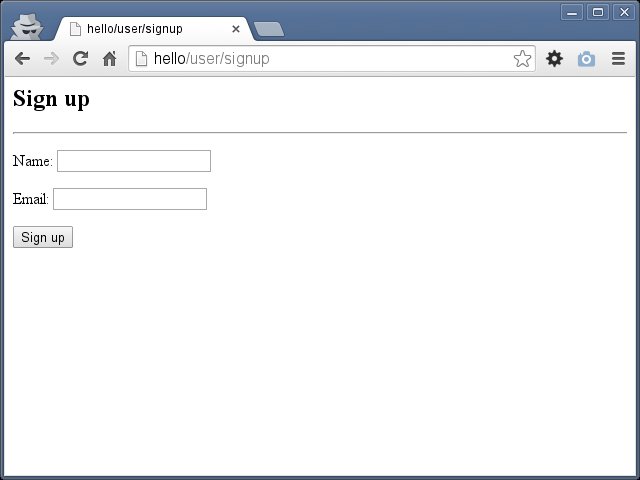
The view App/View/user/signup.phtml with the form definition:
<h2>Sign up</h2><hr />
<?php echo $this->tag->form([false]) ?>
<p>Name: <?php echo $this->tag->textField(['name']) ?></p>
<p>Email: <?php echo $this->tag->textField(['email']) ?></p>
<p><?php echo $this->tag->button(['submit', 'Sign up']) ?></p>
<?php echo $this->tag->endTag('form') ?>
Now try submitting the form without filling in the fields — just click the Sign up button:
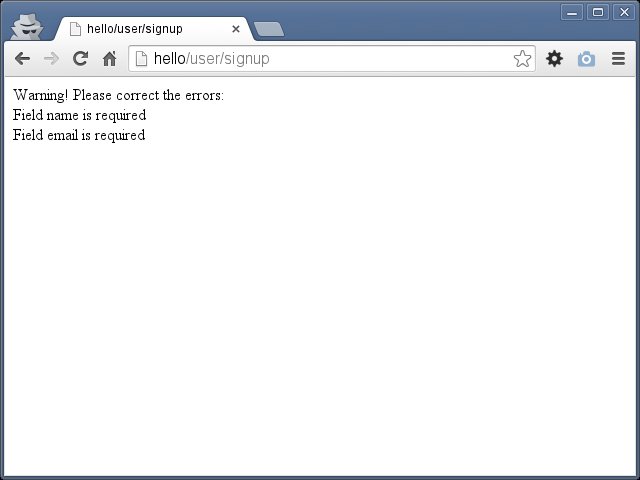
You see those messages because the validation in postSignupAction fails:
$post = $this->request->getPost()->all();

$validation = new Validation();
$validation->rules([
    'name' => 'required',
    'email' => 'required|email|unique:users',
]);

$valid = $validation->validate($post);

if (!$valid) {
    echo 'Warning! Please correct the errors:<br />';
    foreach ($validation->getMessages() as $message) {
        echo $message[0] . '<br />';
    }
Go back, fill in the Name and Email fields, and click Sign up.
} else {
    $user = new Users();
    $user->setFields(['name', 'email']);

    if ($user->create($post)) {
        echo "Thanks for registering!";
    }
}
You should see the Thanks for registering! message.
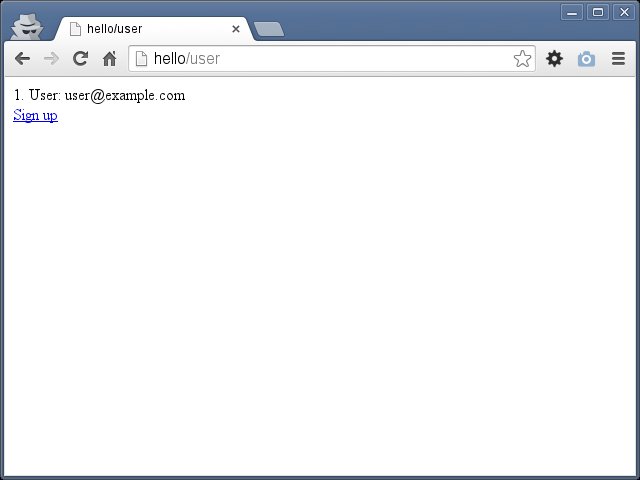
To confirm the user has signed up, go to hello/user to see all users — your browser should show something like this:
Conclusion
This is a very simple tutorial, and as you can see, it's easy to start building an application using Ice!
Sample applications
You might also want to try: